
How To Turn On A SMOK Vape And Start Vaping Safely
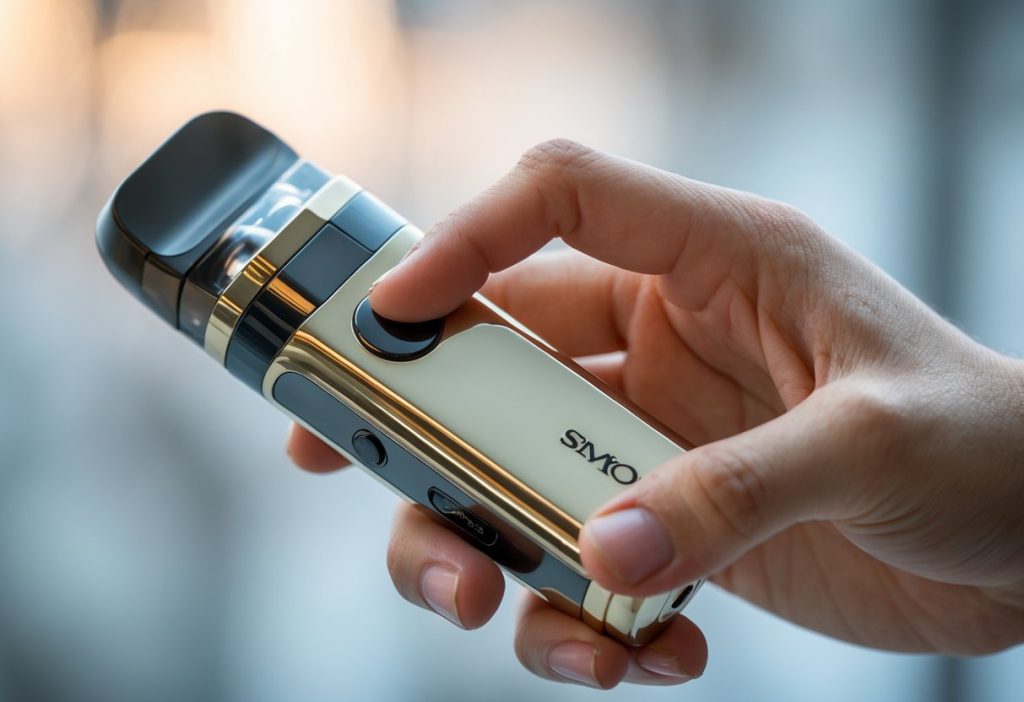
A SMOK vape offers a simple way to make sure you enjoy a good vape session even for the first time, but turning it on can confuse new users. The process only takes a few seconds once you know what to do. To turn on your new SMOK vape, press the fire button five times quickly until the screen lights up.
This small step activates the device and prepares it for use. If nothing happens, the battery might need charging, or the button sequence might have been too slow. Knowing how to power it on correctly helps avoid frustration and keeps the device working as expected.
Key Takeaways
- Learn the basic steps to turn on SMOK vape.
- Understand what to do if it doesn’t turn on right away.
- Keep basic safety and maintenance tips in mind for smooth use.
Step-by-Step Guide to Turning On a SMOK Vape
Turning on a SMOK vape requires knowing where the power button is, using the correct click pattern, and checking that the device is active. Each action ensures the vaping device operates safely and correctly before use.
Locating the Power Button
Most SMOK vapes include a main power button, often called the fire button. It usually sits on the front or side of the device, near the display screen. The button is larger than others and may include a small LED indicator light.
Users should identify this button before handling the device. Pressing random buttons can cause errors or activate functions by mistake. On some models, such as the SMOK Nord or SMOK RPM series, the button also controls firing and menu navigation.
If the vape has a touchscreen, the power button still performs the on/off function. The screen may show icons or prompts once the device is powered on. Keep the button clean and free of e-liquid or debris to avoid sticking or unresponsive presses.
Unlock your SMOK Vape with the Five-Click Method
Most SMOK vaping devices use the five-click method to power on or off. Push the power button to turn on and unlock your SMOK vape five clicks in rapid succession. The timing matters; pressing too slowly may not register as a command.
After pressing correctly, the screen usually lights up, showing the SMOK logo or a startup message. This means the device is turning on. If nothing happens, check that the battery is charged or properly installed.
Some models include a short vibration or light flash to confirm activation. The same five-click sequence also locks or powers off the device. This safety feature prevents it from firing in a pocket or bag.
Avoid holding the button down during the five-click process, as that may trigger the coil instead of the power function. Consistent, quick taps work best.
Verifying Device Activation
Once turned on, the user should verify activation before vaping. The screen should display key information such as battery level, wattage, coil resistance, and puff count. These details confirm the device is powered and ready.
If the display stays dark, the vape may still be locked, or the battery may need charging. Try repeating the five-click method or connecting the device to a charger.
Some SMOK vapes also show a small lock icon or power symbol when active. Users can test the activation by pressing the fire button once; the screen should respond, or the coil should briefly heat.
Always check for error messages like “No Atomizer” or “Low Battery.” These alerts help prevent damage and ensure safe operation.

Troubleshooting and Safety Tips
Proper care keeps the vape device working reliably and helps prevent common problems. Regular checks of the battery, power connections, and vape juice handling reduce the risk of damage or unsafe use.
Charging and Battery Issues
A SMOK vape pen uses a rechargeable lithium-ion battery that needs correct handling. Users should charge only with the provided cable or one recommended by the manufacturer. Using random chargers can cause overheating or shorten battery life.
If the device does not turn on, check that the charging port is free of dust and that the indicator USB light turns on to indicate when plugged in. A blinking light often signals a charging error or low voltage.
Avoid leaving the vape plugged in overnight. Once the light shows full charge, unplug it. Overcharging may cause the vape battery to weaken over time.
If the battery feels hot, stop charging and let it cool before use. Never use a swollen or damaged battery. Replace it immediately with one that matches the model’s specifications.
| Problem | Possible Cause | Action |
|---|---|---|
| Device not turning on | Battery drained | Charge for 30–60 minutes |
| LED flashing | Low voltage or poor contact | Gently clean the port and reconnect |
| Battery heating | Overcharging | Unplug and cool down |
Cleaning Power Connections
Dirt or residue around the power button or port can block proper contact. Turn off the device before cleaning. Use a dry tissue, or cotton swab, or a small soft brush to remove dust from the port and connection points.
If moisture enters the port, let it air dry completely before charging. Using a damp cloth or liquid cleaner can cause short circuits.
Check the 510 connector (the metal ring that attaches the tank) for residue from vape juice. Sticky buildup can interrupt power flow. Gently wipe it with a tissue or alcohol pad, then let it dry.
Keeping the connections clean makes charging faster and prevents misfires when pressing the power button.
Handling Vape Juice and Device Safety
Vape juice often contains nicotine, which can be harmful if spilled or touched directly. Always close the bottle tightly and store it away from children and pets.
When refilling, keep the device upright and avoid overfilling the tank. Extra liquid can leak into the airflow holes and damage the coil.
If liquid leaks, wipe it off immediately with a paper towel. Do not use the device until it is dry. Avoid mixing different vape juice brands or flavors in the same tank, as this can cause clogging or poor vapor quality.
Store the vape device in a cool, dry place away from sunlight or heat sources. Extreme temperatures can affect battery performance and liquid consistency. Regular inspection and careful handling help maintain safe operation.
Frequently Asked Questions
Users often face simple issues when powering on their SMOK devices. Common concerns include battery connection, button sequences, and starting settings that ensure proper function and safe use.
What should I do if my SMOK mod won’t turn on?
Check if the battery is charged and installed correctly. Make sure the contacts are clean and free from debris. If it still does not respond, try a different battery or charging cable before contacting support.
Are there any specific button sequences for turning on a SMOK vape?
Most SMOK vapes turn on after pressing the power button five times quickly. The same sequence usually turns the device off. Timing matters, so press the button rapidly within two seconds.
How can I troubleshoot power issues with my SMOK electronic cigarette?
Verify that the battery is not damaged or drained. Inspect the charging port and cable for wear. If the screen flickers or the device shuts off unexpectedly, update the firmware if possible or reset the mod following the manufacturer’s instructions.
What are the initial settings I should use when using my SMOK vape after turning it on?
Start with a low wattage setting, especially if using a new coil. Gradually increase power until reaching the desired vapor output. Confirm that the coil resistance matches the recommended range shown on the device or packaging.


