Why Is My Elf Bar Not Lighting Up When Charging: Common Causes and Solutions
Contents
- Key Takeaways
- Core Reasons Your Elf Bar Is Not Lighting Up When Charging
- Understanding the Elf Bar Charging Indicator
- Faulty Charging Cable or Power Source
- Loose Connection or Dirty Charging Port
- Battery or Device Malfunction
- Advanced Troubleshooting and Prevention for Charging Issues
- Signs of Charging vs. Device Failure
- Environmental Factors and Vaping Industry Considerations
- Role of Atomizer and Internal Components in Charging Behavior
- When It's Done: Safe Disposal
- Sources
Your Elf Bar should light up when you plug it in to charge, but sometimes it doesn’t. This can be frustrating when you’re not sure if your device is charging or broken.
The most common reasons an Elf Bar won’t light up when charging are a dead battery that needs time to respond, a faulty charging cable or adapter, dirt blocking the charging port, or a damaged device. Most of these problems are easy to fix at home with simple cleaning or trying a different cable.
This guide walks through each possible cause and explains how to fix it. It also covers when a device might be beyond repair and what steps to take next.
A note for US readers: no Elf Bar products are on FDA's list of authorized e-cigarettes, the only e-cigarettes that may be lawfully sold in the US. In 2023 FDA issued import alerts covering all Elf Bar products and warned retailers selling them.
Key Takeaways
- An Elf Bar that won’t light up during charging usually has a connection problem, dirty port, or faulty cable
- Many charging issues can be fixed by cleaning the port, trying a different cable, or waiting a few minutes for a completely dead battery to respond
- If the device gets hot, swells or smells burnt while charging, unplug it and stop using it
- If basic troubleshooting doesn’t work after multiple attempts, the device may have internal damage and need replacement
Core Reasons Your Elf Bar Is Not Lighting Up When Charging
When an Elf Bar fails to show its charging light, the problem typically stems from issues with the charging cable, a dirty or damaged port, or internal device problems. These issues can prevent the charging indicator from activating even when the device is connected to power.
Understanding the Elf Bar Charging Indicator
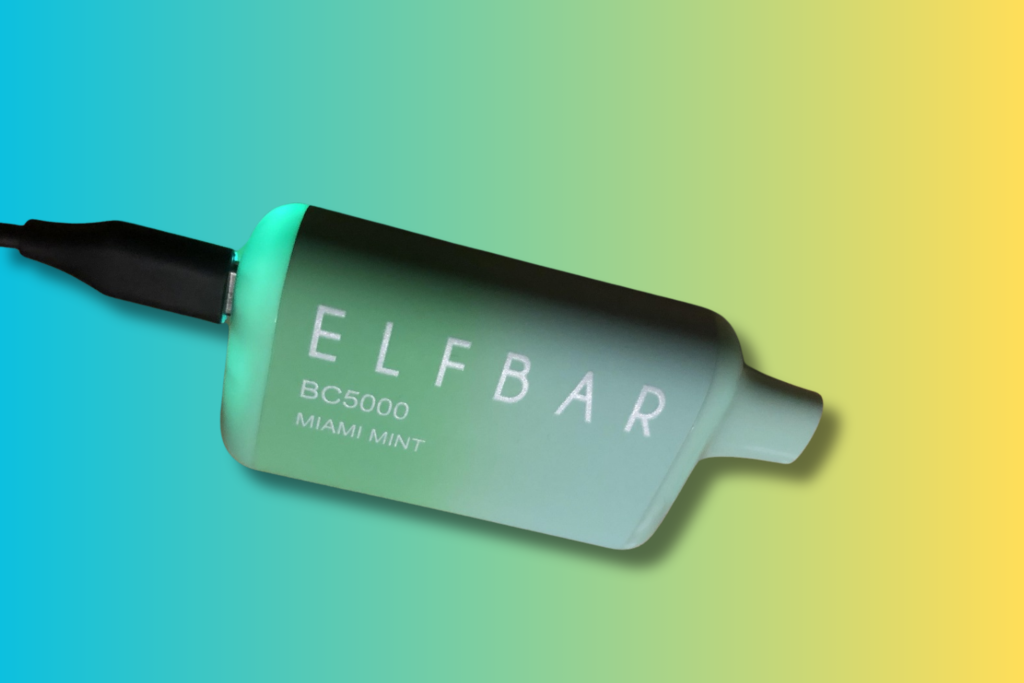
The Elf Bar light serves as the primary way to know if the device is charging properly. Most Elf Bar models display a steady or blinking light at the bottom of the device when connected to a power source. The light usually glows red, blue, or white, depending on the model.
When the light doesn’t turn on at all, it signals that the device isn’t receiving power or recognizing the charging connection. Some users mistake a very dim light for no light at all, so checking in a darker room can help confirm if any illumination is present.
The charging indicator usually lights within a few seconds of plugging in. A fully drained battery can take a few minutes to respond. If nothing happens after that, the connection has failed or the device has a deeper issue.
Faulty Charging Cable or Power Source
A damaged or incompatible charging cable is one of the most common reasons disposable vapes fail to charge. The USB-C or micro-USB cable may have internal wire damage that prevents power transfer even though it appears intact on the outside.
Testing the cable with another device can quickly reveal if it’s the source of the problem. Many users also try using a cable that worked with a different vaping device, but not all cables deliver the same power output.
Common cable and power issues include:
- Frayed or bent connectors
- Cables designed for data transfer only, not charging
- Wall adapters providing incorrect voltage
- USB ports on computers that don’t supply enough power
The power source matters too. Use the cable that came with the device or a standard USB charger from a reputable brand, and follow the manufacturer's charging instructions, as FDA advises. Avoid cheap, unbranded fast chargers.
Loose Connection or Dirty Charging Port
Debris inside the charging port blocks the metal contacts from making a proper connection with the cable. Pocket lint, dust, and vape residue commonly accumulate in the port opening over time. This prevents the Elf Bar from detecting that a cable has been inserted.
A loose connection can also occur when the charging port becomes damaged from repeated plugging and unplugging. The metal pins inside may bend, or the port housing might crack, creating gaps that prevent secure contact.
Unplug the device first. Gently cleaning the port with a dry wooden toothpick or a few puffs of compressed air can remove visible debris. Avoid metal objects or liquids, which can short or damage the internal components. After cleaning, the cable should fit snugly without wobbling.
Battery or Device Malfunction
Internal battery failure prevents the Elf Bar from accepting a charge or powering the indicator light. Disposable vapes have built-in batteries that can fail due to manufacturing defects or damage from drops and impacts. When the battery dies completely, no amount of charging will revive it.
Some devices also ship with defects, such as disconnected internal wiring, faulty circuit boards or poorly installed batteries.
Physical damage isn’t always visible from the outside. A hard drop can disconnect internal components or crack the battery without breaking the outer casing. Water exposure also damages the electronics even if the device appears dry.
Most Elf Bar devices aren’t designed to be opened or repaired. When internal components fail, the entire device needs replacement. Users who purchased recently defective units should contact the retailer about warranty or exchange options.
Advanced Troubleshooting and Prevention for Charging Issues
Understanding the difference between normal charging behavior and actual device failure helps users avoid unnecessary replacements. Environmental conditions and component quality directly affect how disposable vape devices charge and function.
Signs of Charging vs. Device Failure
A properly charging Elf Bar typically shows a steady or pulsing light during the charging process. The light usually turns off or changes color when the battery reaches full capacity. Many rechargeable disposables finish charging in roughly 30 to 60 minutes; check your model's instructions.
Normal Charging Indicators:
- Steady red, blue, or white light while plugged in
- Light turns off or changes to green when fully charged
- Device feels slightly warm (not hot) during charging
Device failure shows different signs. No light appears even after trying multiple cables and power sources. Some failed devices show a rapidly blinking light that doesn’t change or stop.
If the device feels hot, swells, leaks or gives off a strange smell, unplug it right away. Move it onto a nonflammable surface away from anything that can burn, and don't use or charge it again. FDA's vape battery safety tips also advise charging on a flat surface where you can see the device, never on a couch or pillow.
Users should test the device with a known working cable and power adapter before assuming failure. A complete lack of response after proper troubleshooting usually indicates internal damage.
Environmental Factors and Vaping Industry Considerations
Temperature extremes hurt battery performance. A very cold battery may refuse to charge, and heat speeds up battery wear. FDA advises not leaving a vape in a hot or freezing car and not charging it in extreme temperatures; let a cold device warm to room temperature first.
Disposable vapes are built cheaply, and charging circuits and ports are common failure points.
Moisture can short out charging ports. The device should stay dry and be stored at room temperature between uses.
Battery capacity also declines with each charge cycle, so an older device holds less charge.
Role of Atomizer and Internal Components in Charging Behavior
The charging port, circuit board, battery and atomizer are wired together. Damage at any connection point, such as a cracked solder joint after a drop, can stop the charging light from activating.
Key Internal Components:
- Battery cell: Stores power and supplies energy to heat the nicotine liquid
- Circuit board: Regulates charging and should cut off when the battery is full
- Atomizer coil: Draws power from battery during use
- LED indicator: Driven by the circuit board to show charging status
When It's Done: Safe Disposal
A disposable that won't charge has a lithium battery and leftover nicotine inside. EPA says not to put e-cigarettes in household trash or recycling; take them to a household hazardous waste collection site instead.
Vaping products are for adults who smoke or already vape; in the US, the minimum age to buy them is 21.
Sources
- Tips to Help Avoid Vape Battery Fires or Explosions, U.S. Food and Drug Administration
- E-Cigarettes, “Vapes” and Other Electronic Nicotine Delivery Systems (ENDS) Authorized by the FDA, U.S. Food and Drug Administration
- FDA Inspection Blitz Leads to More Than 180 Warning Letters to Retailers for the Illegal Sale of Youth-Appealing Elf Bar and Esco Bars E-Cigarettes, U.S. Food and Drug Administration
- How to Safely Dispose of E-Cigarettes: Information for Individuals, U.S. Environmental Protection Agency