
How To Unlock A Geek Vape Aegis Mod For Quick And Safe Operation
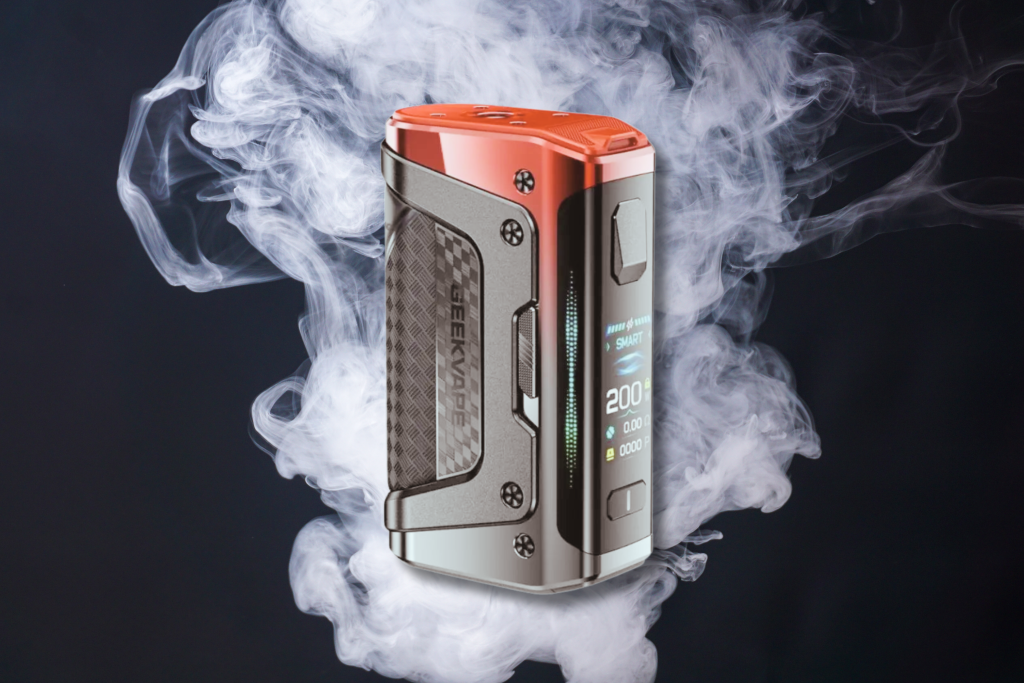
Geek Vape has built a strong reputation for designing durable and advanced vape devices that appeal to both experienced users and beginners. Models such as the Aegis Legend, Aegis Legend 3, and Aegis Solo highlight the brand’s focus on rugged design and user control.
However, with multiple locking methods available across different models—including fire button locks, physical switches, and newer touch-based systems—some users may find it confusing to manage these features.
Understanding the steps to unlock your Geek vape devices or pod systems helps ensure a smooth and enjoyable vaping experience. Aegis vaping devices incorporate their own combination of technology and safety mechanisms, reflecting Geek Vape’s effort to balance performance with reliability.
How to Unlock a Geek Vape Aegis Mod Using the Fire Button
Most Geek Vape Aegis models include a fire button lock that prevents accidental firing or setting changes. Unlocking the device usually involves a quick sequence of button presses.
Standard Methods to Unlock:
Press the fire button five times rapidly. This action powers the device on or off and often clears a basic lock. It also serves as a soft reset if the screen or controls stop responding.
If the screen still shows “Locked”, try one of the following:
- Press the fire button three times to toggle the lock on some models.
- Press the fire button twice on versions that use a two-press sequence.
| Function | Button Action | Result |
|---|---|---|
| Power on/off | 5 quick presses | Turns device on or off |
| Lock/unlock (some models) | 3 quick presses | Unlocks controls |
| Alternate lock method | 2 quick presses | Unlocks on select versions |
When the device fires normally but wattage adjustments remain disabled, the adjustment buttons are locked separately.
Unlocking a Geek Vape Aegis Mod Using the Slide Switch
Many Aegis series models include a slide switch on the side that controls the lock feature. This small plastic toggle lets users quickly secure or unlock the device without navigating menus.
To unlock, move the switch upward until the screen shows “Unlocked.” If the display reads “Locked,” slide it back to the opposite position. The device should then be ready for normal use.
If the screen remains locked after adjusting the switch, the fire button lock may still be active. In that case, press the fire button two or three times quickly to release the secondary lock and restore full functionality.
How to Unlock a Geek Vape Aegis Mod Using the Touch Activation Feature
The Geek Vape Aegis Legend 3 includes a touch-based smart lock system that automatically secures the device when not in hand. The mod unlocks when the user’s palm makes contact with the soft grip area containing the built-in sensor. This prevents accidental activation while keeping the device ready for quick use.
If the mod remains locked, users can apply a slightly firmer grip to ensure the sensor detects skin contact. The feature will not respond when gloves block the sensor, which can affect outdoor use in colder conditions.
When needed, the touch unlock can be turned off through the menu system:
| Step | Action |
|---|---|
| 1 | Press the fire button three times to access the settings menu. |
| 2 | Use the “+” or “–” buttons to find Lock Settings and confirm with the fire button. |
| 3 | Select Unlock and confirm again. The device will then operate without the touch sensor enabled. |
How to Unlock a Geek Vape Aegis Mod’s Adjustment Buttons
When the screen shows “Locked” and the device still fires, the wattage lock is active. This feature prevents accidental changes to power levels. To restore adjustment control, follow these steps:
- Hold the “+” and “–” buttons together for about two seconds.
If the display updates, the adjustment buttons are now unlocked. - If the shortcut fails, press the fire button three times quickly to open the main menu.
- Navigate to “Lock Settings.”
- Change the option from “Button Lock” to “Unlock.”
| Action | Result |
|---|---|
| “+” and “–” held together | Unlocks wattage controls |
| Fire button ×3 → Menu → Lock Settings | Unlocks via menu |
How to Do a Factory Reset on a Geek Vape Aegis Mod
Performing a Reset Using the Device Buttons
A hard reset can restore an Aegis mod to its original configuration if settings or firmware updates cause issues. Most models allow this through button combinations.
- Turn off the mod by pressing the fire button five times quickly.
- Hold both the “+” and “–” buttons together until the display activates and shows the current firmware version.
- Press and hold the fire, “+,” and “–” buttons at the same time. Continue holding until the screen shows “Config Reset.”
If the message does not appear, the model may not support this method. In that case, the reset can usually be completed through the device’s on-screen menu.
| Button Combination | Function |
|---|---|
| Fire ×5 | Power off |
| “+” + “–” | Display firmware version |
| Fire + “+” + “–” | Start factory reset |
Performing a Reset Through the On‑Screen Menu
Some Aegis models include a reset option within the menu system. This method uses the navigation buttons and display rather than hardware shortcuts.
- Press the fire button three times to open the main menu.
- Use the “+” or “–” button to locate the reset option.
- Select the reset command with the fire button.
- Confirm the action when prompted.
After confirmation, the device will reboot and restore its default configuration, clearing custom wattage, mode, or firmware settings.
Reasons Behind the Many Lock and Unlock Methods on Geek Vape Mods
Geek Vape includes several vape lock options across its devices to improve safety and usability. Each model may use a different approach—button sequences, sliders, or sensor-based systems—to prevent accidental activation and to suit various user preferences. Check our post on vaping terminology to know more.
One key reason for multiple locking methods is safety. A locked device prevents misfires when stored in a pocket or bag, reducing the risk of overheating or battery strain. It also helps avoid unintended firing if the device is left unattended for a short time.
Another factor is user experience. Different users prefer different ways of interacting with their vape. Some find it easier to press the fire button three or five times quickly, while others prefer a physical switch that locks the device instantly. The variety ensures that each person can choose the method that feels most natural.
| Lock Type | Activation Method | Common Models | Key Benefit |
|---|---|---|---|
| Fire Button Lock | Press fire button 3–5 times rapidly | Aegis Solo, Aegis Mini | Familiar and simple |
| A-Lock Slider | Slide switch to lock/unlock | Aegis X, Aegis Legend 2 | Quick and tactile |
| Smart Lock Sensor | Palm or touch activation | Aegis Legend 3 | Hands-free and automatic |
Innovation also drives this variety. Geek Vape often introduces new lock features to test convenience and reliability. For example, the Legend 3’s hand detection unlocks automatically when held, removing the need for repeated manual locking. These evolving systems show how the brand balances safety, practicality, and technology in its approach to locking mechanisms.


